Enhance your editing skills with HxD Hex Editor
HxD Hex Editor, developed by Maël Hörz, is a powerful tool designed for professionals engaged in hex editing, disk editing, and binary file manipulation. This software excels in offering performance that allows for the handling of virtually unlimited file sizes, routine repairs, reading, and overall file maintenance of your hard drive or storage.
Top Recommended Alternative

HxD Hex Editor is valuable to programmers, security researchers, and data analysts. With its feature-rich capabilities, it’s a reliable solution for anyone who needs to manipulate binary data. It’s easy to operate, and an intuitive interface that will make programmers and people in a similar line of work tweak without hassle.
Streamlined data modification
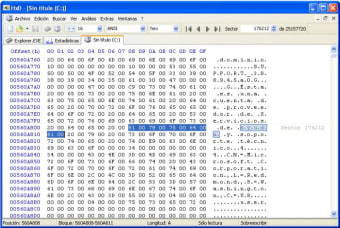
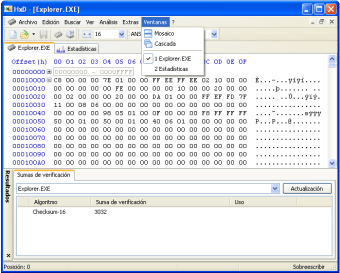
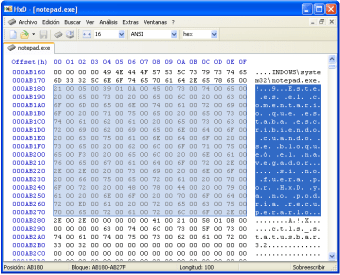
HxD Hex Editor sets itself apart with a robust interface for modifying raw information on disks. Beyond basic editing capabilities, users can efficiently search for specific checksums and tag memory sections, enhancing navigation and organization. The editor supports data export in various formats, such as plain text and HTML, making it easier to share and document modifications.
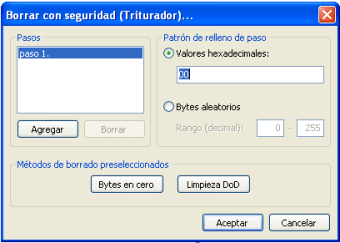
The customizable interface allows users to adjust color schemes and layouts to enhance user experience and comfort. The application’s support for multiple data formats makes it possible to edit binary, hexadecimal, decimal, and floating-point representations, while opening multiple windows maintains bookmarks for quick access, streamlining your workflow. HxD also features file utility operations, either for splitting of files, or a file shredder for safe file deletion.
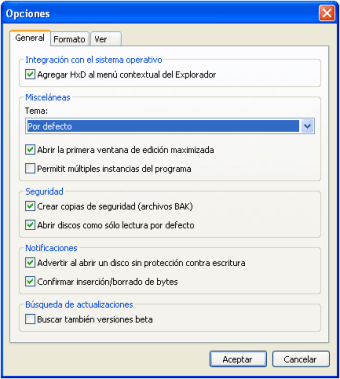
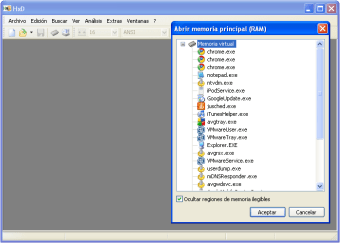
Designed for users who frequently work with binary data, this application excels in both speed and stability. Its robust architecture allows for handling large files beyond typical system memory, enabling direct editing of disks and raw binary data without losing performance. The built-in backup feature ensures data protection during extended editing sessions, making it perfect for developers, and its open-source plugin framework supports custom converters. However, it has limited capabilities on older systems.
A smart choice for professionals
In summary, HxD Hex Editor stands out as an essential tool by combining powerful editing features with reliable performance, catering to a wide array of technical tasks while supporting a broad spectrum of file formats. Its focused functionality positions it as a go-to resource for software developers, security analysts, and data specialists, making it a robust and dependable choice for tasks that demand high-performance binary manipulation.